vividish.A little pause.
THE RESTAURANT OS · SERVICE, BEAUTIFULLY CONNECTED.RESTAURANT OS / 01
FULL HOUSE.Clear head.
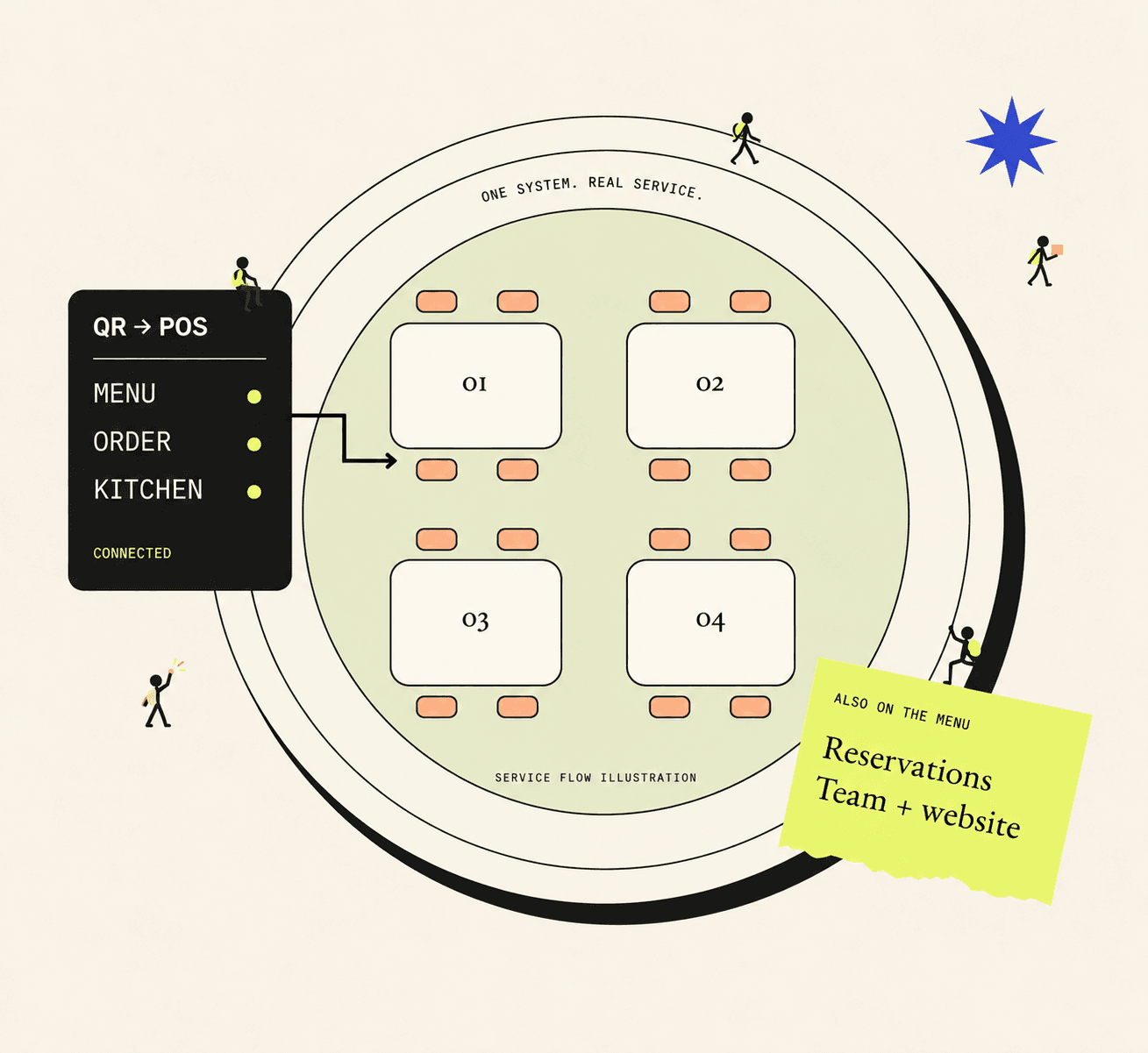
The rush belongs in the room. Not in your head.
From breakfast to dinner, bring menus, orders, kitchen and people into one connected restaurant system.
Explore VividishSee how it comes togetherLess switching. More hosting.
SERVICE FLOW ILLUSTRATIONA LITTLE FURTHER, A LOT MORE CONNECTED
01 / A DIFFERENT KIND OF RESTAURANT SOFTWARE
Built around the service.
And the people behind it.
A good shift is a hundred small things working together. Vividish brings the parts of your restaurant into the same conversation, so you can stay in yours.
TRY A LITTLE SERVICE
One small order.
A whole team in sync.
Make a choice on the guest’s side. See it arrive on the other. Then take it all the way to the table.
About this flow
Make a choice on the guest’s side. See it arrive on the other. Then take it all the way to the table.
GUEST → KITCHEN → TABLE
- 01Choose
- 02Ordered
- 03Preparing
- 04Ready
- 05Served
Choose
Table 08 · 0× Cappuccino
THE GUESTChoose
↔THE TEAMWaiting for an order
Guest → Bar
Drinks at the bar. Food in the kitchen. Ready orders with the service team.
Bar
Coffee & drinksThe bar is ready.
Place your sample order. The cappuccino and its request will appear here.
It begins with a choice.
Add a cappuccino. Add a request. The order stays yours until you send it.
NEXT / RESERVATIONS & SEATING
Every table,
in the picture.
A booking is only the beginning. Follow the guests from their first choice to their place in the room.
About this flow
A booking is only the beginning. Follow the guests from their first choice to their place in the room.
BOOK → ARRIVE → SEAT
- 01Book
- 02Expected
- 03Arrived
- 04Seated
Make time for a visit.
Alex Weber
The room, at a glance.
Table 12 is occupied by another sample party.
Expected0Arrived0Seated0
Room for the next arrival.
Make a booking on the guest’s side to bring it onto the host board.
Illustrative pacing · not a real booking
NEXT / TEAM & BACK OFFICE
Less admin.
More hospitality.
A good shift starts before the doors open. Fill a gap in the plan, check the fit, then put everyone in the picture.
About this flow
A good shift starts before the doors open. Fill a gap in the plan, check the fit, then put everyone in the picture.
PLAN → REVIEW → PUBLISH
- 01Find the gap
- 02Choose a teammate
- 03Review the draft
- 04Share the plan
The week, together.
| Team | Mon | Tue | Wed |
|---|---|---|---|
| Alex | Prep10:00–14:00 | Floor service17:00–22:00 | — |
| Sam | Floor service17:00–22:00 | — | Bar16:00–22:00 |
| Jo | — | Prep10:00–14:00 | — |
Open shiftWednesday · Floor service17:00–22:00
Sample week · Wednesday floor service: 17:00–22:00.
NEXT / RECIPES & INVENTORY
Small ingredients.
Big picture.
Every dish has a recipe. Every recipe has a ripple. See what one order means for the shelf.
About this flow
Every dish has a recipe. Every recipe has a ripple. See what one order means for the shelf.
RECIPE → ORDER → STOCK
- 01Know the recipe
- 02See what changes
- 03Prepare for the next
Cappuccino
Two ingredients. One connected order.
Per drink
Coffee beans18 g
Milk180 ml
SAMPLE ORDER / TABLE 08
2 × Cappuccino
This order uses36 g Coffee beans + 360 ml Milk
Sample deductions follow the recipe shown above.
THE STOCKROOM
The shelf tells a story.
Coffee beans
Above alert levelOn hand216 g
Before 216 g
Alert at ≤ 54 g
Milk
Above alert levelOn hand900 ml
Before 900 ml
Alert at ≤ 600 ml
5
Cappuccinos possible
Based on these two ingredients only.
NEXT / GUEST FEEDBACK & DISH INSIGHTS
The meal. The mood.
The reasons why.
A guest can love their visit and still wish the coffee were warmer. Hear both sides of the story.
About this flow
A guest can love their visit and still wish the coffee were warmer. Hear both sides of the story.
LISTEN → UNDERSTAND → REFINE
- 01The experience
- 02Each dish
- 03The full picture
How was your time with us?
The welcome, the meal, the little moments.
Your selection stays here until you send it.
IN THE RESTAURANT
One visit. Two perspectives.
12
sample visits
1Not great
4Good
7Loved it
What shaped the experience
Topics inherit the overall visit rating—not the dish rating.
Service4 mentions
0 Not great · 1 Good · 3 Loved it
Food3 mentions
0 Not great · 0 Good · 3 Loved it
Speed3 mentions
1 Not great · 1 Good · 1 Loved it
More experience topics
Atmosphere2 mentions
0 Not great · 0 Good · 2 Loved it
Value2 mentions
0 Not great · 1 Good · 1 Loved it
Cleanliness2 mentions
0 Not great · 1 Good · 1 Loved it
2
sample review-page opens
Opens are not confirmed Google reviews.
A prompt to investigate, not a verdict. These small samples are illustrative.
NEXT / YOUR RESTAURANT WEBSITE
Your place.
Before they arrive.
The atmosphere. The story. A reason to visit. Bring your menu, events, photos and reservations into one unmistakably yours online home.
About this flow
The atmosphere. The story. A reason to visit. Bring your menu, events, photos and reservations into one unmistakably yours online home.
STORY → DISCOVERY → VISIT
Good food.
Good company.
From the first coffee to the last course.

Our story
A little place. A generous welcome.
Casa is our fictional neighbourhood restaurant: breakfast and coffee, weekend brunch, seasonal lunches and relaxed dinners.
Come for a bite. Stay for the conversation.What connects it all
01
Your story, beautifully told.
About, photography and your own visual identity—not just a list of dishes.
02
A reason to come back.
Events and your published menu give guests a taste of what’s happening.
03
From discovery to a visit.
Reservations, opening hours and location make the next step clear.
02 / FOLLOW THE SERVICE
A day in service.
Many moving parts.
Choose a moment. See where it connects.
01 / CONNECTED SERVICE
Less switching.
More hosting.
The menu, register and kitchen should be part of the same service—not three separate conversations.
- QR menus and guest orders
- Register and kitchen tickets
- Order notes and live status
THE WHOLE RESTAURANT / ONE CONNECTED DAY
Not just the rush.
The whole rhythm.
Breakfast, brunch, lunch, afternoon service or dinner. One connected operation, around the way your day works.
Get ready for service.
A ready team, a stocked kitchen and a welcoming online home.
Team planning
Find the gap, check who’s available and publish a plan the team can see.
Explore this flowRecipes & stock
Follow the ingredients behind an order, then review a low-stock warning.
Explore this flowYour restaurant website
Story, photos, menu, events, reservations and practical details, in one online home.
Explore this flow
Explore the connections across your restaurant day.
A FEW PRACTICAL DETAILS
A few things
worth knowing.
Clear answers, before the next step.
01Is this one system or separate tools?
Vividish brings guest ordering, register, kitchen, reservations, team tools and back-office operations into one restaurant workspace.
02Do guests need to download an app?
No. Guests can open the restaurant menu in their browser from a table QR code. Staff use the restaurant workspace.
03Does the restaurant website use the same menu?
Yes. Published menu items and saved photos feed the Vividish-built restaurant website. An external website can link to the display menu.
YOUR RESTAURANT. YOUR WAY OF WORKING.
MAKE ROOM.
For better service.
Start with the part of your day that needs a little more breathing room.
Find your own way through Vividish. Start with what matters to you.